


How to install additional features on a counterbalance stacker?
As a leading counterbalance stacker supplier, we understand that different industries and operations have unique requirements for their material handling equipment. Installing additional features on a counterbalance stacker can significantly enhance its functionality, efficiency, and safety. In this blog post, we will guide you through the process of installing additional features on a counterbalance stacker, ensuring that you can customize your equipment to meet your specific needs.
Understanding Your Needs
Before you start installing additional features, it is crucial to identify your specific requirements. Consider the type of materials you will be handling, the working environment, and the tasks you need the stacker to perform. For example, if you are working in a narrow aisle warehouse, you may need to install a side-shift feature to increase maneuverability. If you are handling heavy loads, a load stabilizer or a high-capacity mast may be necessary.

Researching Compatible Features
Once you have a clear understanding of your needs, research the additional features that are compatible with your counterbalance stacker. Not all features are suitable for every model, so it is essential to consult your stacker's manufacturer or a qualified technician. They can provide you with information on the available options and help you choose the features that best suit your equipment and requirements.
Some common additional features for counterbalance stackers include:
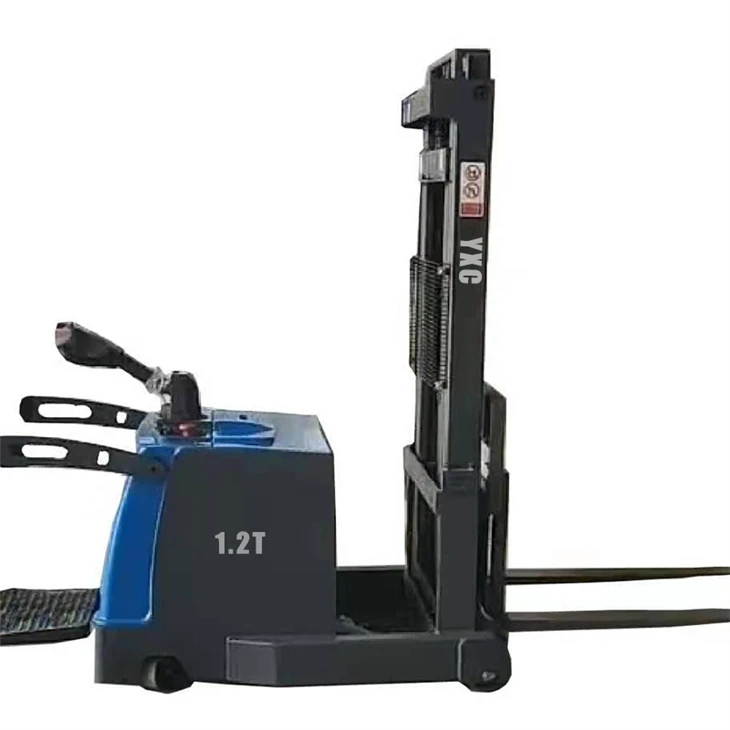
- Side-Shift Feature: Allows the forks to move horizontally, making it easier to position loads in tight spaces. Learn more about our Walkie Counterbalanced Stacker
- Load Stabilizer: Helps prevent loads from shifting during lifting and transport, increasing safety and stability.
- High-Capacity Mast: Enables the stacker to lift heavier loads to greater heights, expanding its capabilities.
- Operator Comfort Features: Such as adjustable seats, armrests, and steering wheels, can improve operator comfort and reduce fatigue.
- Safety Features: Including overhead guards, warning lights, and alarms, can enhance operator safety and prevent accidents.
Preparing for Installation
Before you begin the installation process, make sure you have all the necessary tools and equipment. Read the installation instructions carefully and familiarize yourself with the steps involved. It is also a good idea to have a qualified technician on hand to assist you, especially if you are installing complex features or if you are not experienced with equipment installation.
Here are some general steps to prepare for installation:
- Inspect the Stacker: Check the stacker for any damage or wear and tear. Make sure all components are in good working condition before proceeding with the installation.
- Gather the Tools: Collect all the tools required for the installation, such as wrenches, screwdrivers, and pliers.
- Read the Instructions: Carefully read the installation instructions provided by the manufacturer. Make sure you understand all the steps and safety precautions.
- Prepare the Work Area: Clear the work area of any obstacles and ensure that it is well-lit and ventilated.
Installing the Additional Features
The installation process will vary depending on the type of feature you are installing. However, here are some general steps that you can follow:
- Disconnect the Power: Before you start working on the stacker, disconnect the power source to prevent any electrical hazards.
- Remove the Necessary Components: If required, remove any components that are in the way of the installation. This may include covers, guards, or other parts.
- Install the New Feature: Follow the installation instructions provided by the manufacturer to install the new feature. Make sure all connections are secure and that the feature is properly aligned.
- Reassemble the Stacker: Once the new feature is installed, reassemble any components that were removed. Make sure all parts are properly tightened and that there are no loose connections.
- Test the Feature: After the installation is complete, test the new feature to make sure it is working properly. Check for any leaks, unusual noises, or other issues.
Testing and Maintenance
After the installation is complete, it is important to test the stacker and the new feature thoroughly. Make sure the stacker operates smoothly and that the new feature functions as intended. If you notice any problems or issues, contact the manufacturer or a qualified technician for assistance.
Regular maintenance is also essential to ensure the continued performance and safety of your counterbalance stacker. Follow the manufacturer's recommended maintenance schedule and perform regular inspections and servicing. This will help prevent breakdowns and extend the lifespan of your equipment.
Conclusion
Installing additional features on a counterbalance stacker can be a great way to enhance its functionality and meet your specific needs. By following the steps outlined in this blog post, you can ensure a successful installation and enjoy the benefits of a customized counterbalance stacker.
If you are interested in purchasing a counterbalance stacker or installing additional features on your existing equipment, please contact us. Our team of experts can provide you with more information and help you choose the right solutions for your business.
References
- Manufacturer's installation instructions for counterbalance stacker additional features.
- Industry standards and guidelines for material handling equipment installation and maintenance.